Free LinkedIn data insights carousel template
I Analysed 100 Posts
A data carousel for LinkedIn: headline numbers, a mustard bar chart, one finding per slide and a summary table.
- Platform
- Size
- 1080 × 1350 (4:5)
- Slides
- 7
- Price
- Free
Opens in the editor: describe your topic and AI rewrites every slide in this design, or edit it yourself.

What’s on the slides
- Slide 1
A 3-week spreadsheet, summarised
I analysed 100 LinkedIn posts that hit 1M views
Hooks, length, format, timing. Here is what the top 10% had in common.
- Slide 2
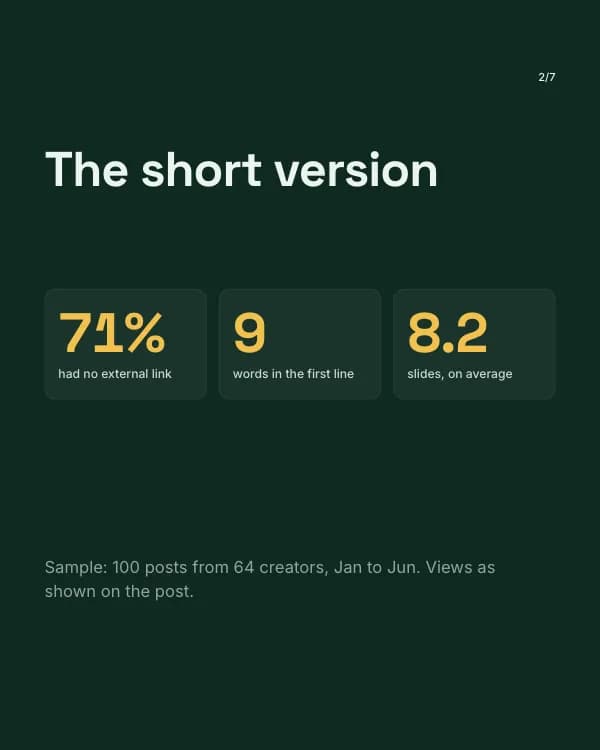
The short version
Sample: 100 posts from 64 creators, Jan to Jun. Views as shown on the post.
- Slide 3
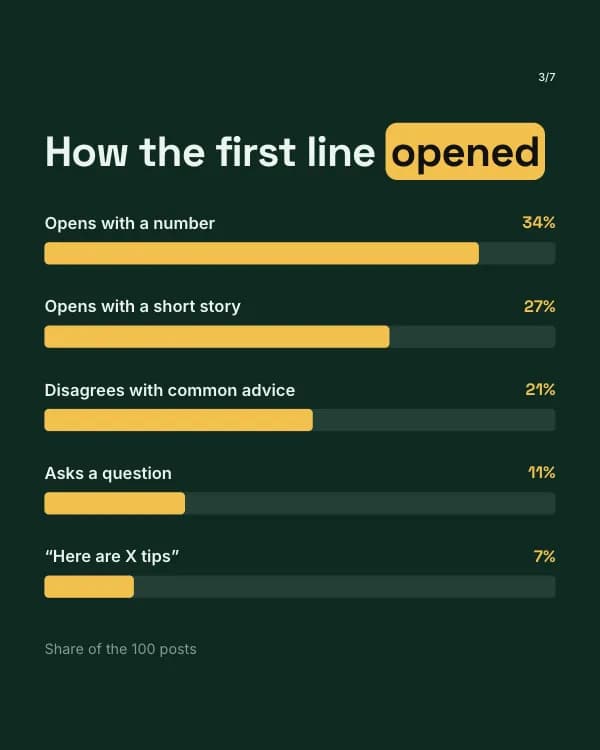
How the first line opened
Opens with a number
34%
Opens with a short story
- Slide 4
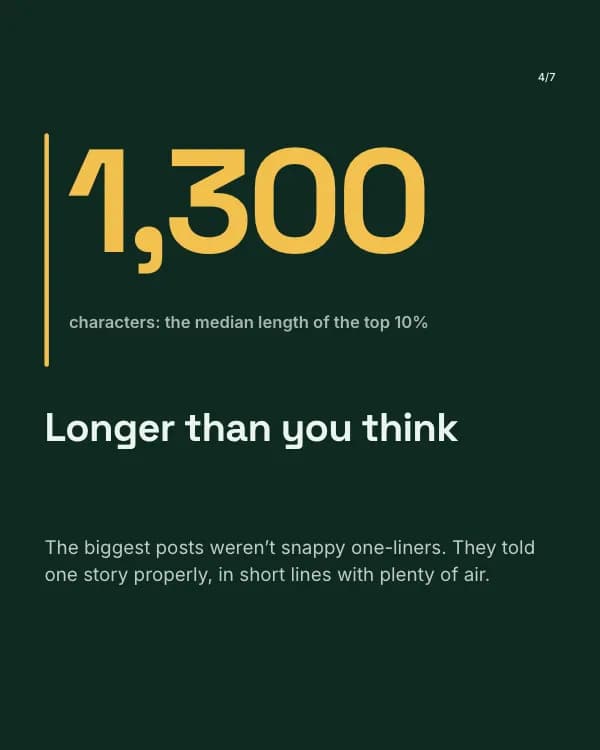
characters: the median length of the top 10%
Longer than you think
The biggest posts weren’t snappy one-liners. They told one story properly, in short lines with plenty of air.
- Slide 5
more comments when the post ended on a specific question
“Thoughts?” is not a question
The winners asked something only the reader could answer: “What was your first salary?” beats “Agree?” every time.
- Slide 6
Which format pulled its weight
- Slide 7
Want the full spreadsheet?
Comment “DATA” and I’ll send you all 100 posts, tagged by hook and format.
How to use this LinkedIn template
- Open it in the editor with “Use this template”. No install.
- Make it yours: type your topic and let AI rewrite every slide in this design with matching photos, or change the words, photos and colours yourself.
- Export at 1080 × 1350 (4:5) as a PDF for a LinkedIn document post, and post.