
A straightforward way to make carousel posts
A free carousel creator that turns new ideas or existing content into social media carousels — without bouncing between half a dozen tools.


Loved by 1,200+ creators
Supported platforms







Featured in
 Insanely Cool Tools
 Those Who Swift
 iOS Dev Tools
 Indie App Devs
Why creators switch
Spend less time agonizing over design — when it's not your forte.
You have the idea. The messy part starts after that. Drafting, resizing, spacing fixes, formatting issues, realizing slide four looks slightly haunted. Carousel Maker banishes the formatting horrors and brings the whole workflow into one place.
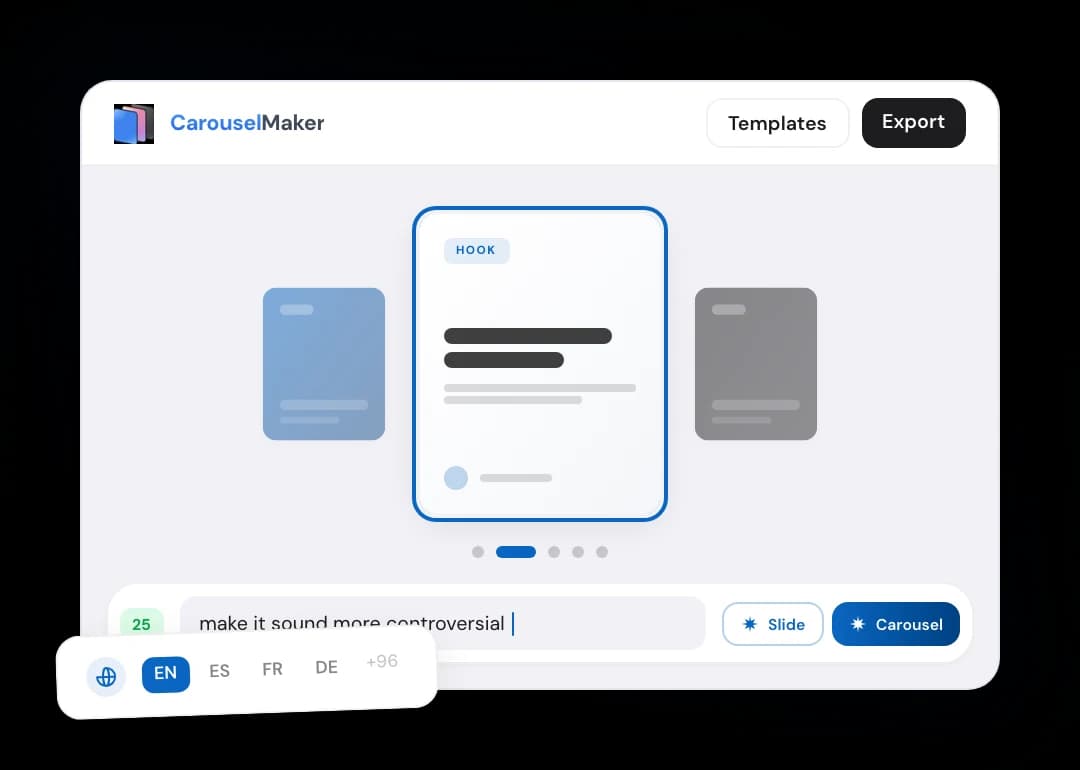
Add your idea
Describe your topic, paste a draft, or a piece of content worth repurposing.
Sharpen your message
Carousel Maker turns your idea into a slideshow with a strong hook and swipe-worthy storytelling.
Tune the look
Pick a template. Change the section layout. Apply your brand styles across the full carousel with a click.
Export and publish
Download the final design in the right aspect ratio to avoid any fiddling during uploads.
Start from anything
Your next post idea, sorted
Your starting point can be messy. The finished carousel won't be.
Text to slides
Paste notes, a draft post, or a longer piece of copy. Pull the useful parts forward without starting over.
Topic to carousel
Describe the idea in a sentence. Carousel Maker turns it into a structured, editable slide deck.
PDF to carousel
Turn reports, guides, and eBooks into carousels without manual extraction.
URL to carousel
Repurpose published blog content into carousels for all social media platforms.
Free templates
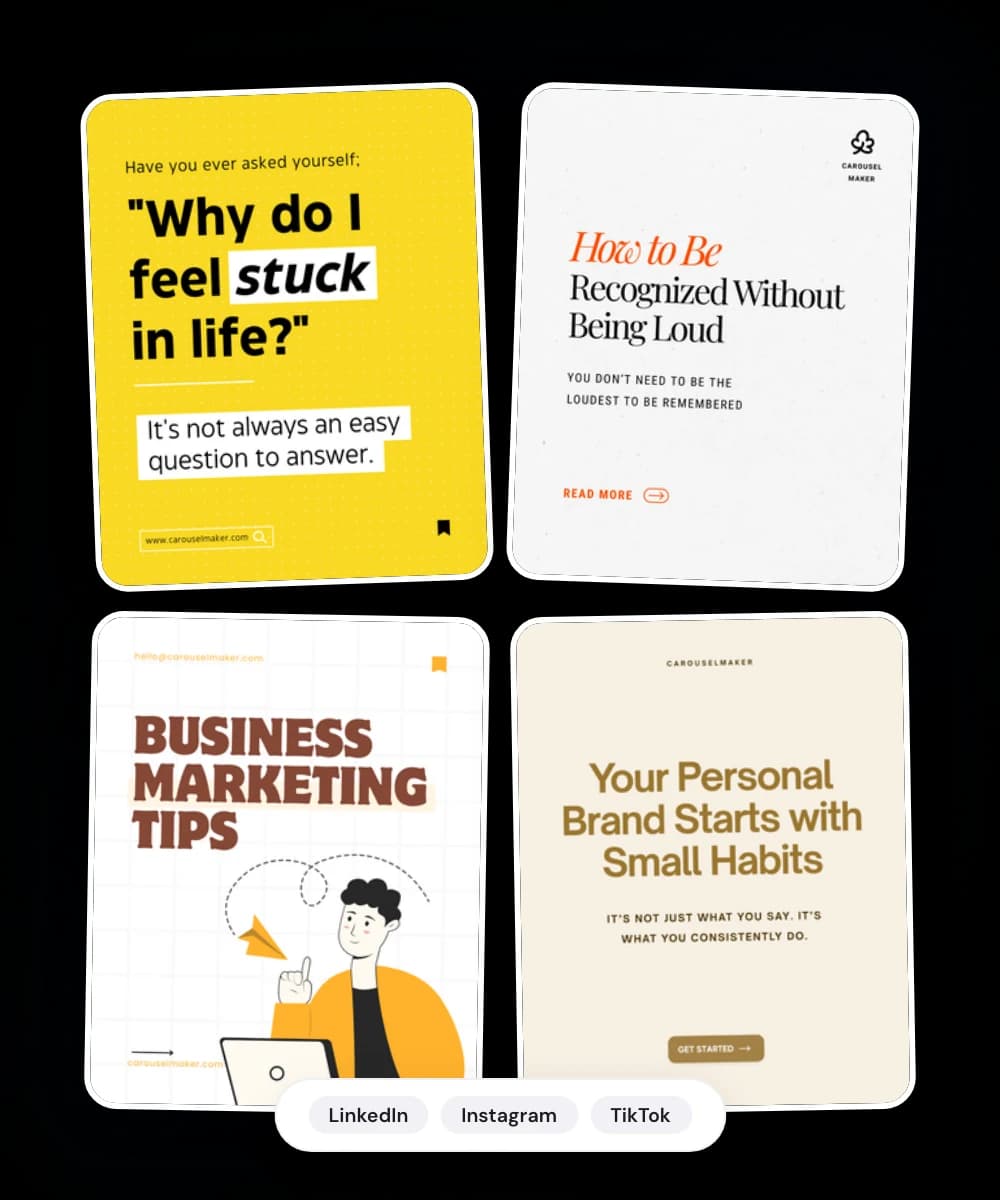
Swipe-worthy free carousel templates
Pick a layout built to keep the hook sharp, the middle easy to follow, and the final slide worth reaching.
Feed-adapted layouts
Built around platform specs for mobile screens and quick scanning.
100+ Languages
Our AI carousel post maker creates content in any language.
Simple customization
Swap fonts, adjust spacing, change backgrounds, and save your template to keep branding consistent.
Drag-and-drop editor
Intuitive visual editor that makes creation effortless. No design skills needed.
Stay on brand
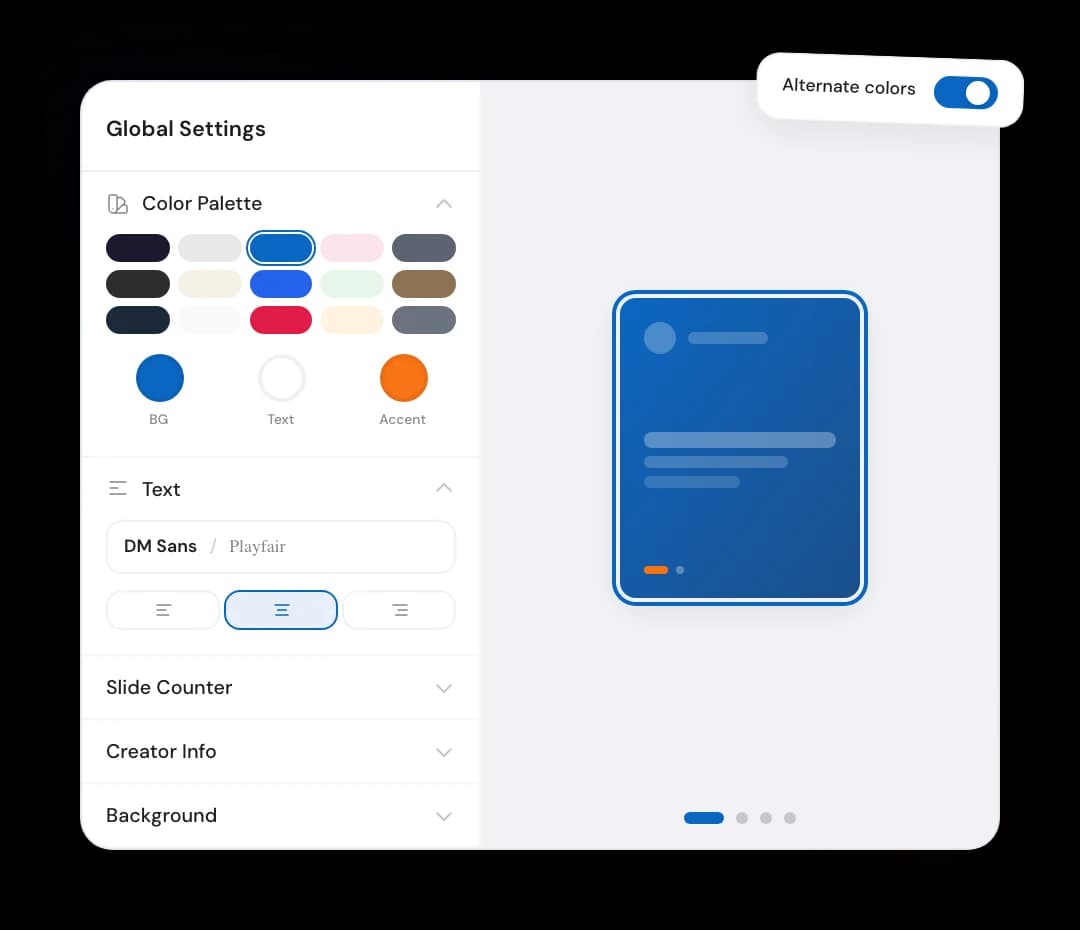
Keep every post on brand
Produce content in your signature style in several clicks.
Brand colors
Save your palette and apply it across every slide.
Typography controls
Choose from built-in fonts or use your preferred brand styles.
Global updates
Change a style once and update the full carousel in one go.
Logo placement
Add your logo where it belongs. Subtle works surprisingly well.
Doing socials for a brand or a client?
Get a set of unique carousel layouts, based on your brand guidelines, to reuse across campaigns and channels.
Why we built it
Carousel Maker is for people with useful things to say and little time to do so
We built Carousel Maker because we kept running into the same annoying problem.
We knew we should be posting more — turning the stuff we already knew into something useful for LinkedIn.
Then the actual work started.
Write the post in one tool. Shape the slides in another. Fight with templates. Resize things manually. Check the export settings. Realize slide 7 looks weird. Open the file again. Question your life choices briefly.
All that effort for a simple carousel post.
We wanted one straightforward workflow: describe the idea, pick a template, get a polished LinkedIn carousel that is ready to post. No design degree. No Figma spelunking. No Canva archaeology.
Carousel Maker writes the copy, designs the slides, and exports a clean PDF you can publish without turning content creation into a part-time operations job.
Because busy professionals already have something worth saying. The tools should help them say it faster.


Simonas, [email protected]
Founder of Carousel Maker.
Who it's for
Who Carousel Maker is for
Founders and operators
Turn a strong point of view into a carousel that starts a conversation without drifting into personal-brand theatre.
Marketers and content teams
Repurpose articles, webinars, and campaign ideas into LinkedIn-ready assets without spending hours in Photoshop.
Consultants and solo experts
Package frameworks, client questions, and practical advice into save-worthy posts people actually revisit.
Executive content teams
Create text-first content for experts who have plenty to say and very little interest in designing stuff themselves.
What people are saying

Lead iOS Developer | Swift | Mentor | Career advisor
I used to spend 2 hours per carousel in Canva. Now I describe what I want and it's done in 30 seconds. This is insane.
My content output went from 2 posts/week to daily. The ROI on this tool is ridiculous.


8,921 likes
evelina.marcus Built my first carousel in 2 minutes and it went semi-viral. I'm never going back to Canva 😭
February 14


The PDF export is chef's kiss. One click and it's ready for LinkedIn. No more exporting 10 separate images lol

Growth Manager at Rewardful
Went from 200 to 3,000 LinkedIn followers in 2 months.
The secret? I stopped overthinking and started posting daily carousels.
The AI writes better hooks than I do honestly. My engagement tripled.
If you're not using Carousel Maker yet, you're leaving growth on the table.

I manage social for 3 brands. Carousel Maker saves me roughly 8 hours a week 😭 The AI generation + templates combo is unbeatable ✨
3,654 likes
aras.creates Not exaggerating. If you're managing multiple brands, this is non-negotiable 💅
January 5
POV: you find a tool that makes carousels in 30 seconds and your content game changes forever 🤯


Agency Owner | Helping brands scale content
I run a marketing agency and we switched all our clients to Carousel Maker.
The templates actually look professional, not like every other generic tool out there.
Our team's content output increased 4x. Highly recommend.


12,408 likes
kristupas.co Posted my first carousel and got 40K impressions 🤯 I was shocked. The AI really knows how to structure content for engagement
December 19


This tool is going VIRAL for a reason. I create content in English and Spanish from the same prompt. Game changer fr 🌍
Try our free carousel maker
Free tools
A carousel creator, generator and editor in one — plus the small tools around it
Not every job needs the full carousel builder. Some days you just need the right Instagram size, a safe-zone check, or bold text for a LinkedIn post. These are free, run in the browser, and need no signup.
Instagram carousel size
1080×1350, 1080×1080 or 1080×566 — resize up to 20 slides and preview the profile-grid crop.
Instagram Story size
Turn any image into a 1080×1920 (9:16) Story-ready PNG, with a low-res warning.
Story safe zone checker
See exactly where Instagram’s UI covers your design and download a PNG overlay.
LinkedIn post formatter
Bold, italic, underline and lists for LinkedIn posts — preview as a real card, then copy.
Instagram carousel maker
Describe the idea, get a 1080×1350 swipeable carousel with hook, body and CTA slides.
LinkedIn carousel maker
Paste a post or URL and get a LinkedIn-ready PDF carousel you can publish today.
TikTok carousel maker
Bold 9:16 photo-mode slides written to land in two seconds each.
Guides & benchmarks
How to make and post carousels, engagement-rate data, and what to charge for carousel design.
Support
Frequently Asked Questions
What is Carousel Maker?
Is Carousel Maker free?
Which platforms is it built for?
What can I turn into a carousel?
Can I edit the AI-generated slides?
How do I export my carousel?
Can I use Carousel Maker for carousel ads?
How can I get support?
Still have questions? We’re here to help — [email protected]
Publish your first carousel post, while the idea is still fresh
Free to start. No credit card required.
Need some inspo? Browse templates