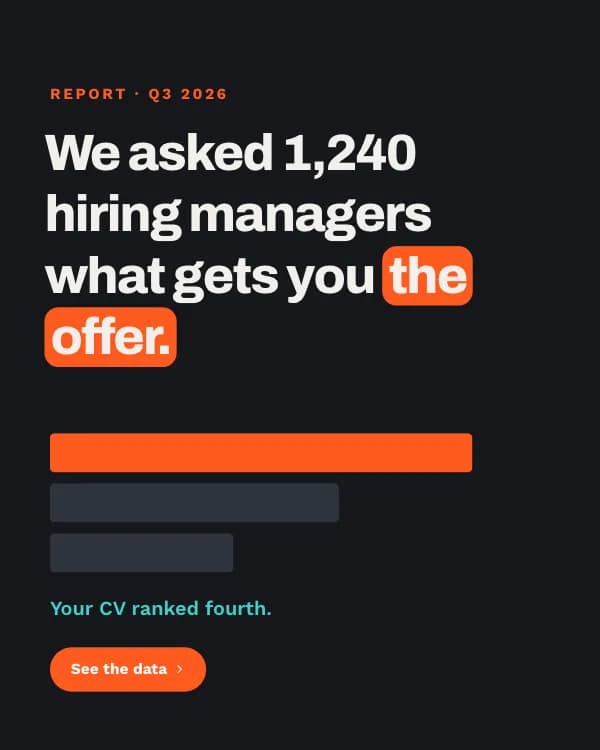
Kostenlose LinkedIn Content-Report Karussell-Vorlage
Branchenreport
Ein Branchenreport als Karussell: ein Ergebnis pro Slide als Balkendiagramm aus Formen, der Gewinner in Magenta. Obsidian, Cyan und Magenta in Archivo.
- Plattform
- Größe
- 1080 × 1350 (4:5)
- Slides
- 6
- Preis
- Kostenlos
Öffnet sich im Editor: Beschreib dein Thema und die KI schreibt jede Slide in diesem Design neu – oder du bearbeitest sie selbst.

Das steht auf den Slides
- Slide 1
Report · Q3 2026 · n = 4,200 posts
What actually gets reach on LinkedIn in 2026
- Slide 2
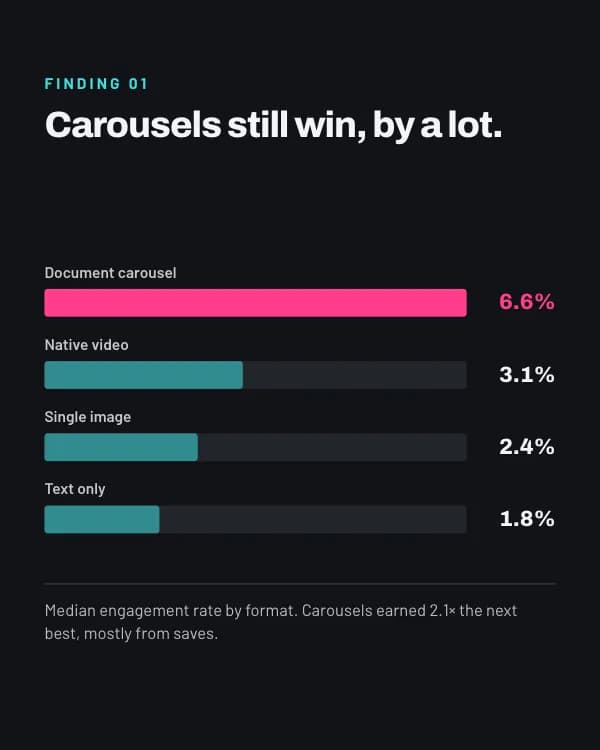
Finding 01
Carousels still win, by a lot.
Median engagement rate by format. Carousels earned 2.1× the next best, mostly from saves.
- Slide 3
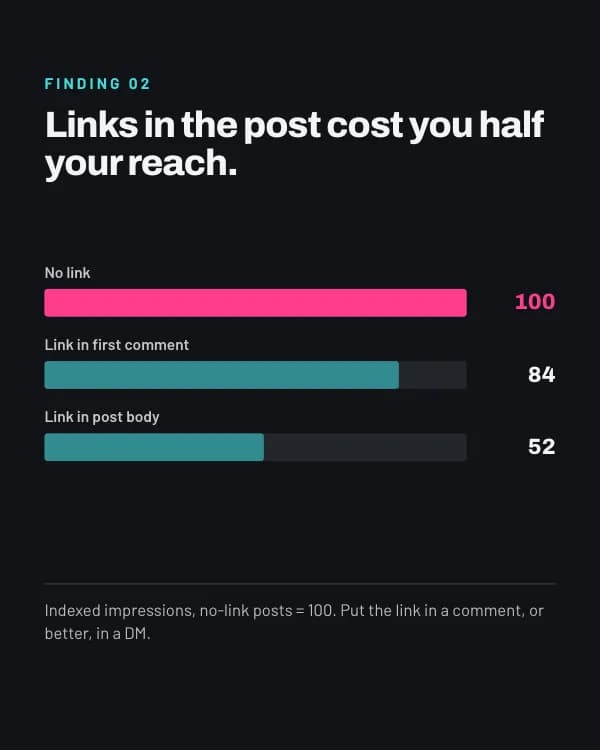
Finding 02
Links in the post cost you half your reach.
Indexed impressions, no-link posts = 100. Put the link in a comment, or better, in a DM.
- Slide 4
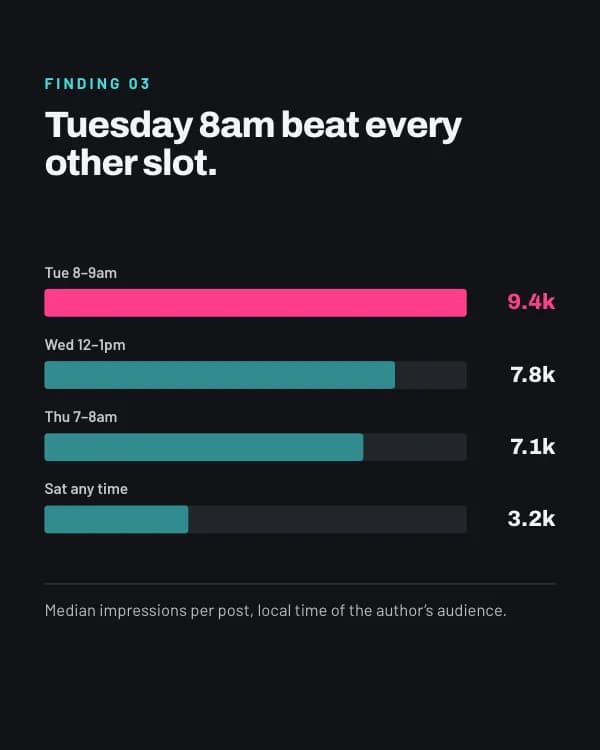
Finding 03
Tuesday 8am beat every other slot.
Median impressions per post, local time of the author’s audience.
- Slide 5
Finding 04
Replying to comments doubles the second wave.
Reach in hours 6–48 compared with posts whose author never replied.
- Slide 6
Get the full 38-page report
Comment “REPORT” and I’ll send the PDF with every chart and the raw method.
So nutzt du diese LinkedIn Vorlage
- Öffne sie im Editor mit „Vorlage nutzen“. Ohne Installation.
- Mach sie zu deiner: Gib dein Thema ein und lass die KI jede Slide in diesem Design mit passenden Fotos neu schreiben – oder ändere Texte, Fotos und Farben selbst.
- Exportiere in 1080 × 1350 (4:5) als PDF für einen LinkedIn-Dokument-Post und poste.